


LoLDB is a website dedicated to League of Legends information, covering everything from champion stats to player profiles and skins. Anyone can view an account's skin collection by entering their Riot ID, which has raised privacy concerns among players who don't want their information publicly visible. In this article, we'll explain how to make your profile private so other users can't view your account.
What Information LoLDB Displays Publicly
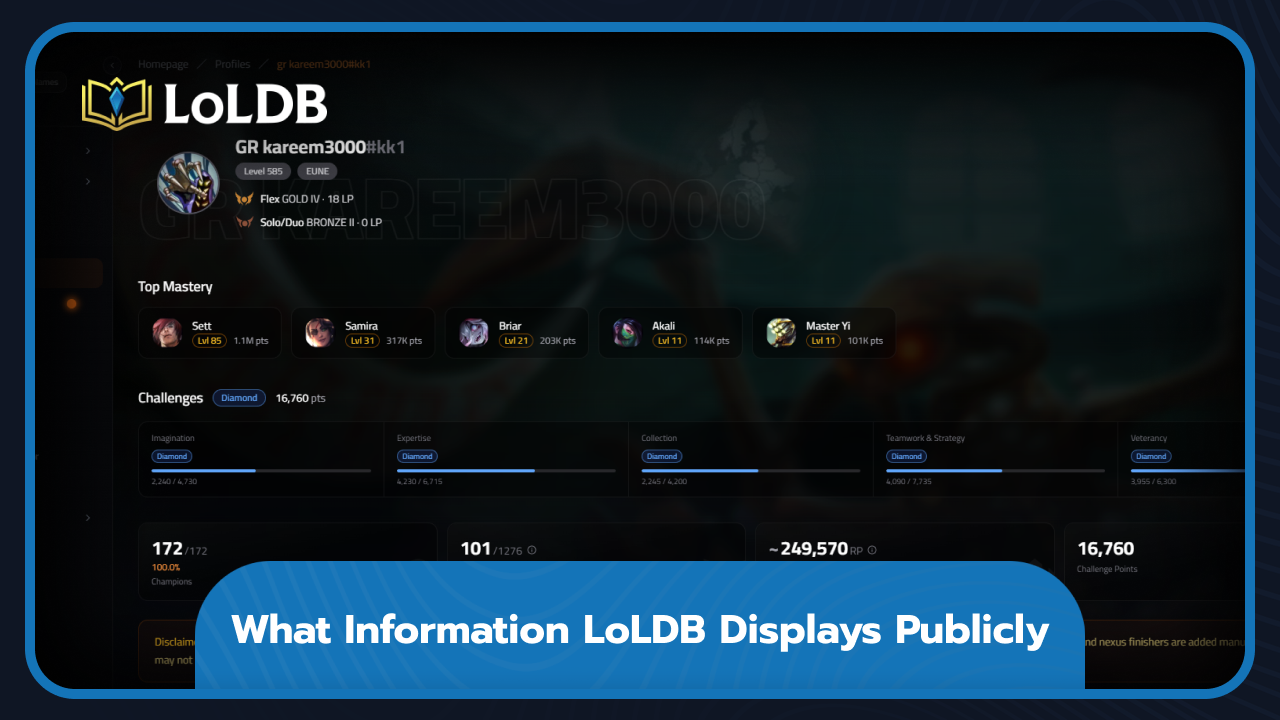
When someone searches your Riot ID, your profile displays your:
Account level
Region
Ranked stats for both Solo/Duo and Flex queues
Top mastery champions, along with your mastery level and points for each one
Full challenge progress and total challenge points
Total champion and skin count
Every champion and skin you own
Your estimated account value in RP
How to Make Your Profile Private
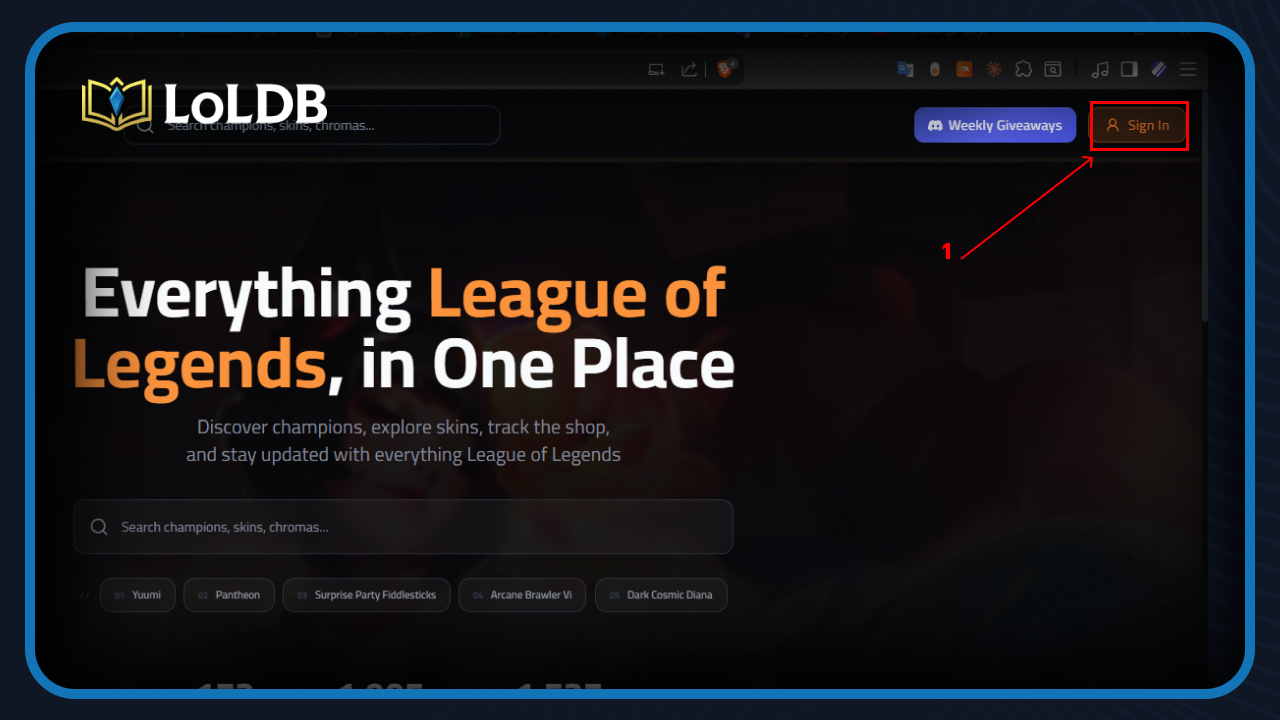
Making your LoLDB account private takes less than a minute. First, you need to log in. Here's how:
1. Open LoLDB and click "Sign In"
2. Enter your Riot ID and select your region
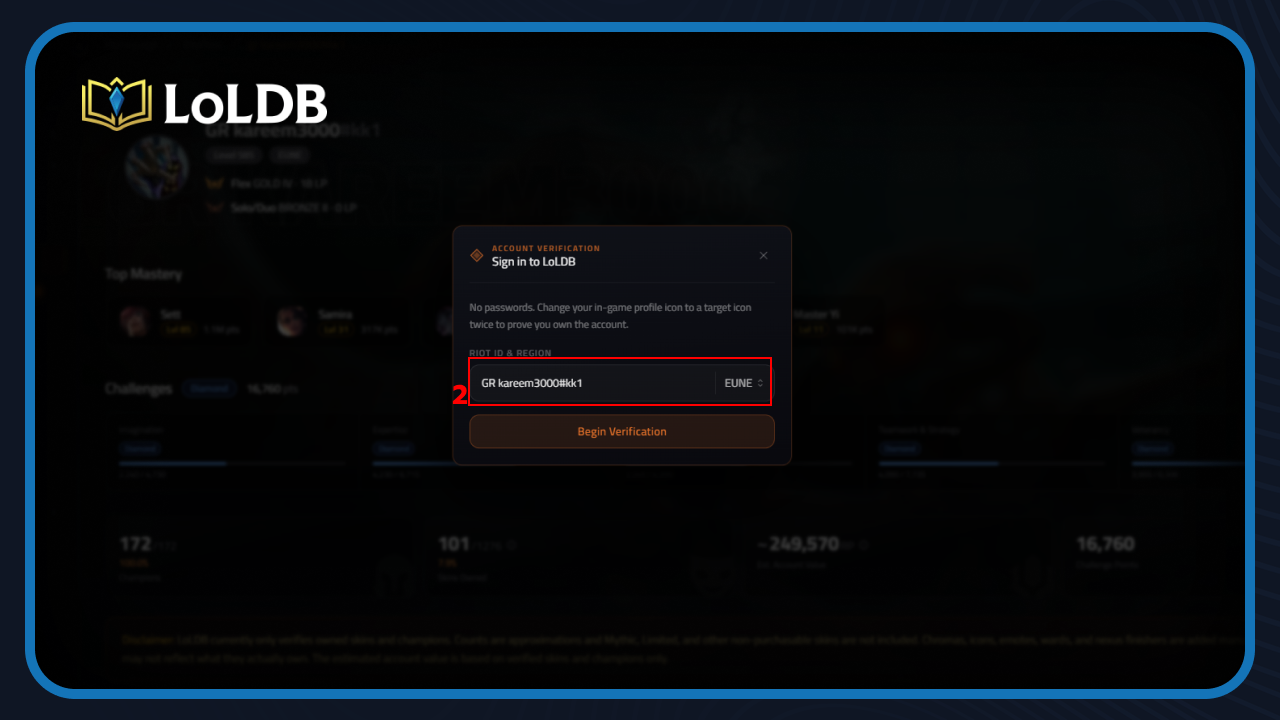
3. Set the icon shown on screen as your active icon in League of Legends
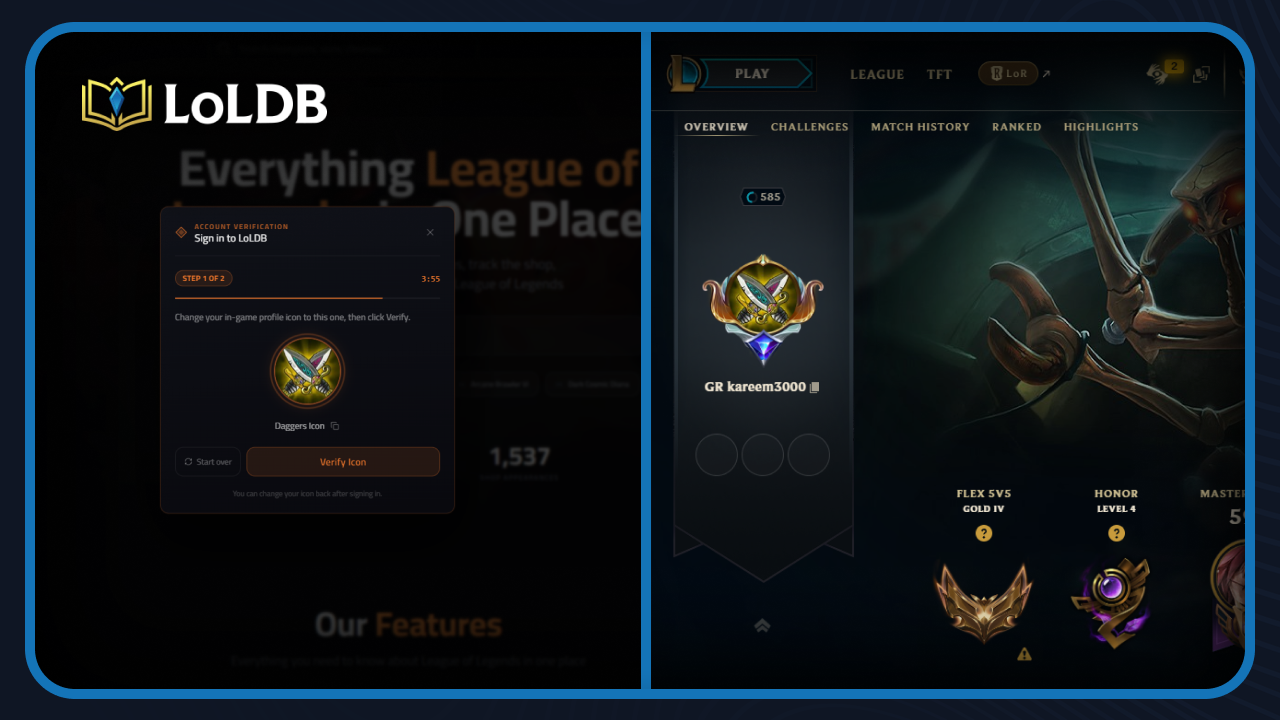
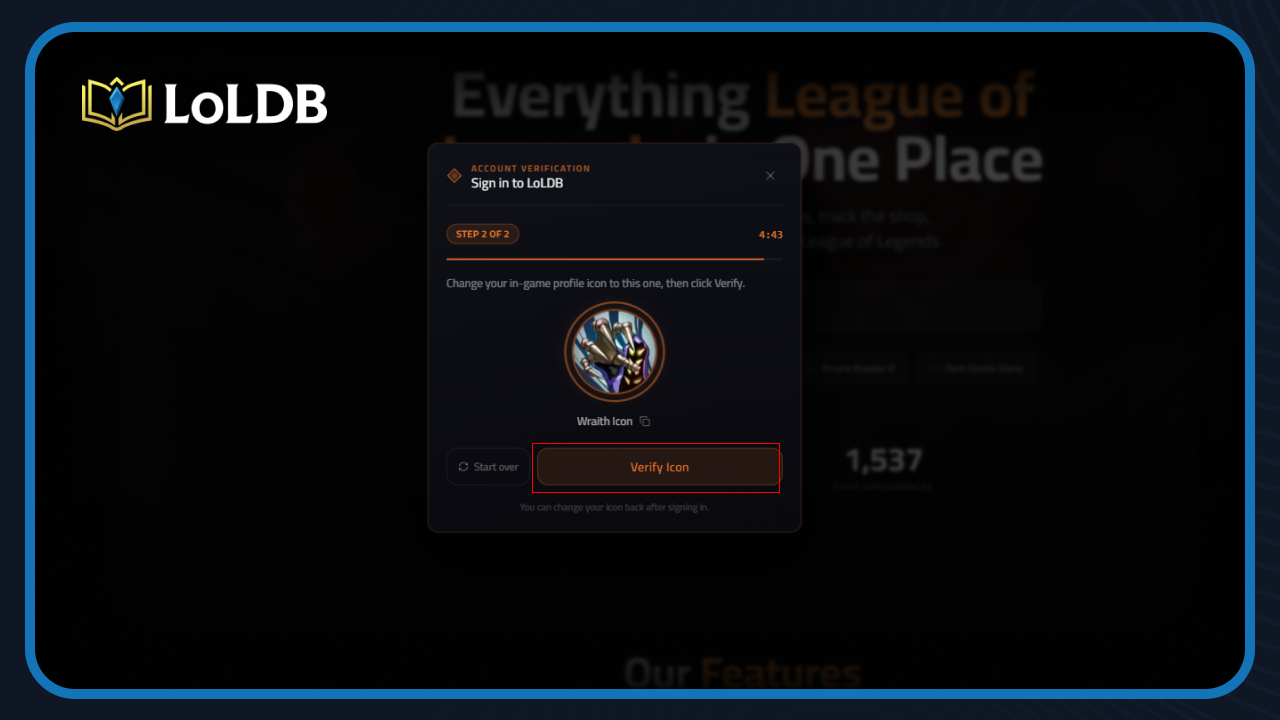
4. Click "Verify Icon" and repeat the process twice
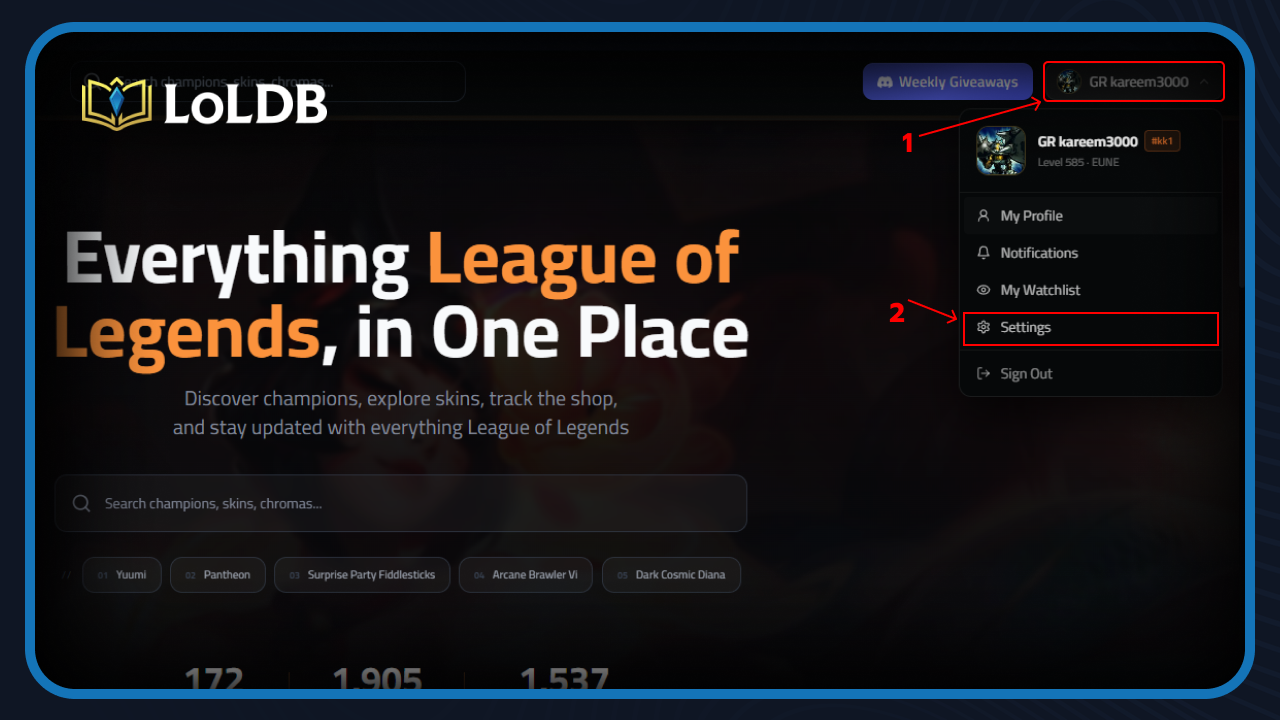
Once logged in, follow these steps to make your profile private:
1. Click your profile button 2. Click "Settings" from the dropdown menu
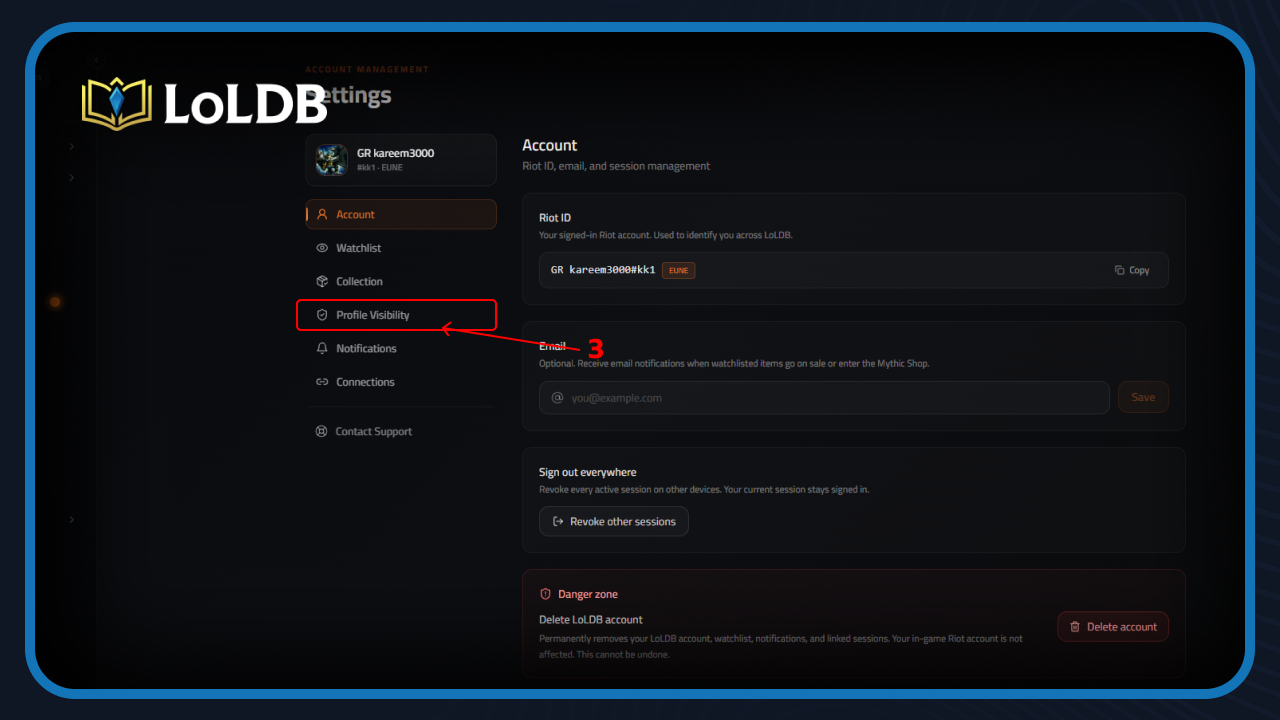
3. Click "Profile Visibility" in the settings sidebar
4. Click "Private" to select it 5. Click "Save Changes."
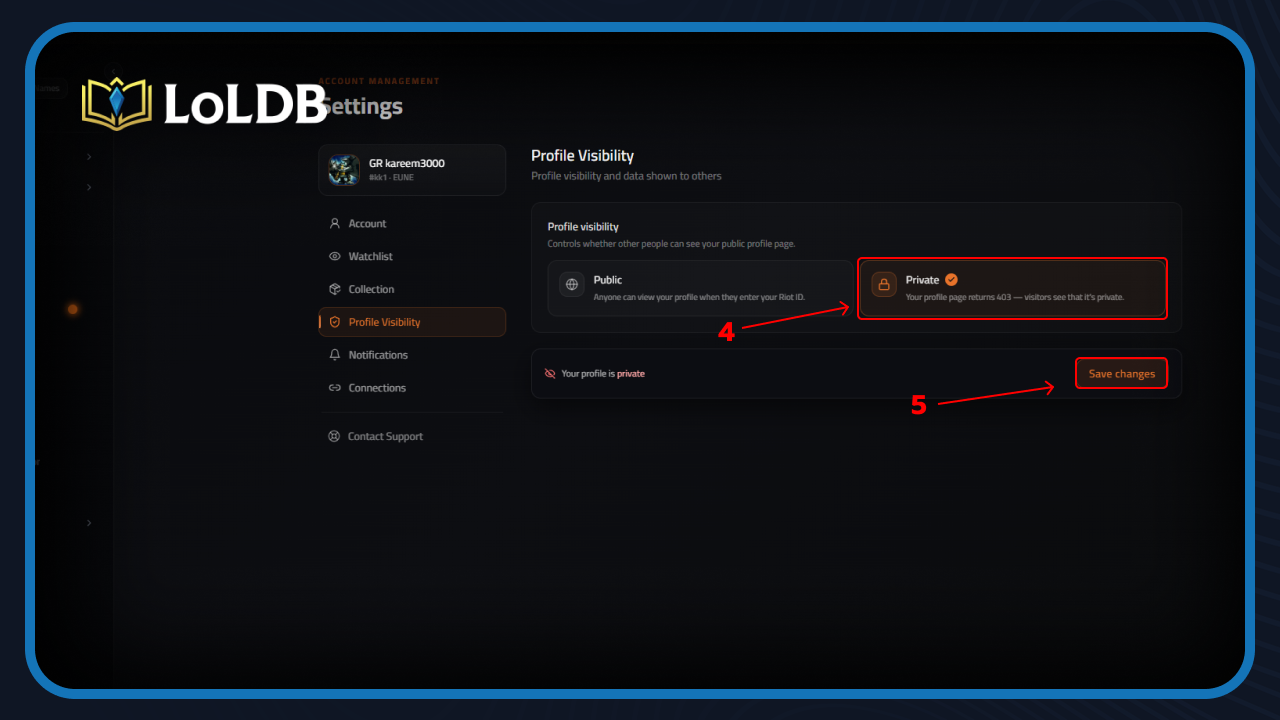
Once done, your profile will no longer be visible to other users searching your Riot ID.
Final Words
If you value your privacy, setting your LoLDB profile to private is worth doing. The site exposes a lot of account details to anyone who knows your Riot ID, from your ranked stats to your full skin collection. A quick settings change keeps all of that out of reach.
Want to explore more? LoLDB has everything League of Legends. Browse champions, skins, mythic shop rotation, current sales, and much more!

How to Uninstall League of Legends: Step-by-Step Guide
League of Legends is a free-to-play online multiplayer game. It belongs to the MOBA genre, where two teams The game has maintained a massive player base since its...
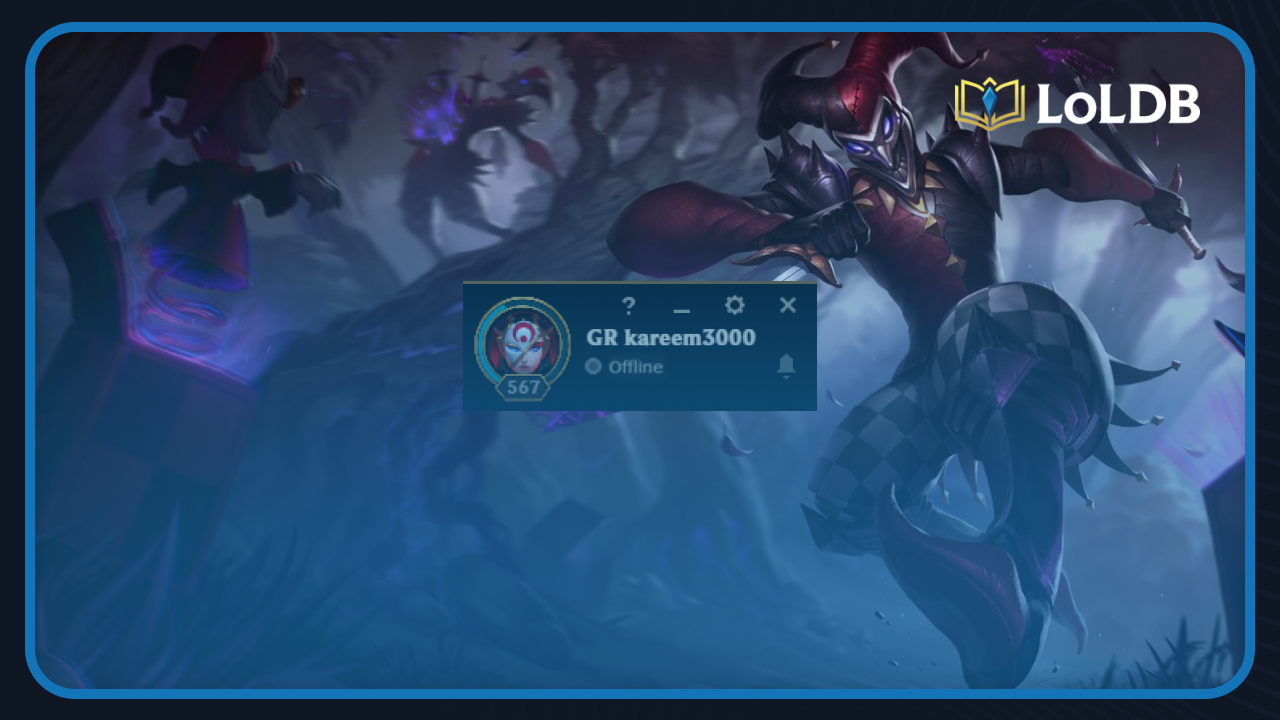
How to Appear Offline in League of Legends
League of Legends is one of the most popular multiplayer games worldwide, but sometimes you want to play solo without friends flooding your inbox with invites and...