

How to Uninstall League of Legends: Step-by-Step Guide

League of Legends is a free-to-play online multiplayer game. It belongs to the MOBA genre, where two teams The game has maintained a massive player base since its release in 2009, but not everyone wants to keep it installed forever. Maybe you're taking a break from gaming, freeing up storage space, or simply moving on to different games.
Whatever your reason, uninstalling League of Legends requires a few specific steps to remove it completely from your system. In this article, we'll explore the proper steps to completely uninstall League of Legends from your computer, ensuring all related files and components are removed cleanly.
How to Uninstall LoL
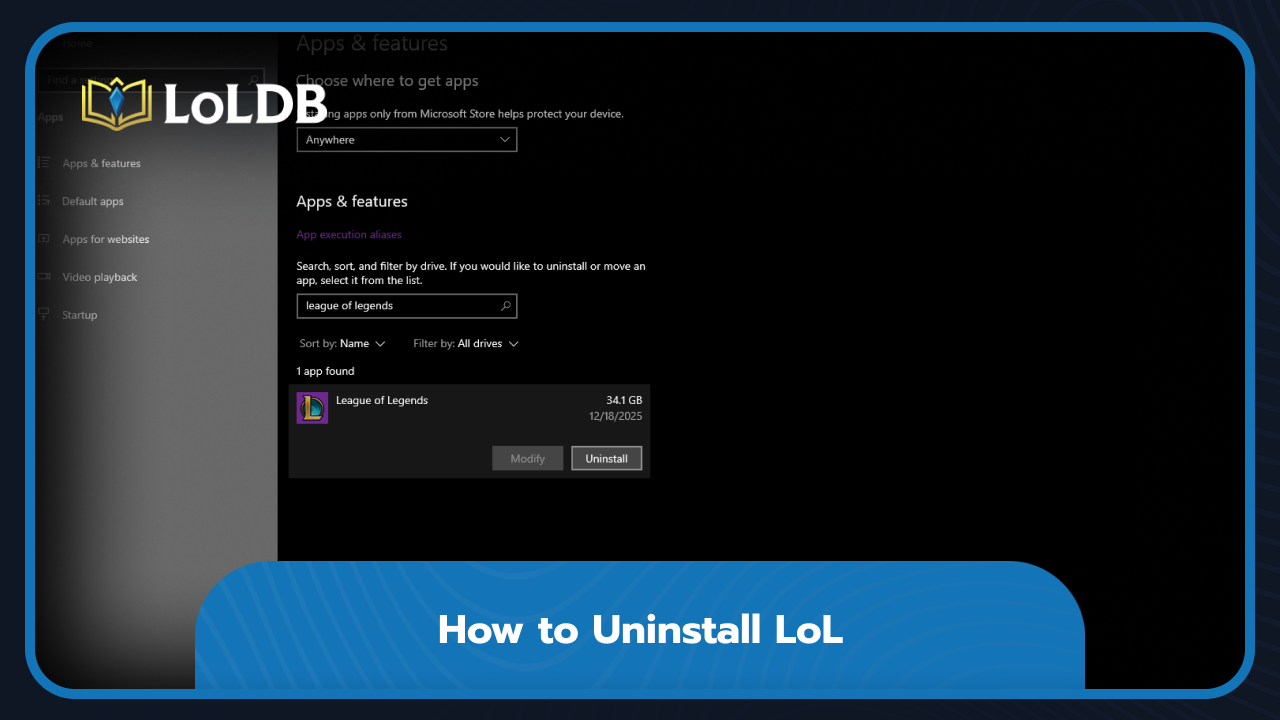
Uninstalling League of Legends from your computer is a simple process that takes just a few minutes. The game can be removed through Windows' built-in app management system. Here's how to uninstall League of Legends:
Open the Windows search bar and type "Installed Apps." (For Windows 10 users, search for "Apps and Features")
In the search box, type "League of Legends"
Click on the League of Legends icon when it appears. An "Uninstall" button will show up next to it.
Press the "Uninstall" button and follow any on-screen prompts to confirm the removal.
The uninstallation process will begin automatically and remove the game files from your system. This typically takes a few minutes, depending on your computer's speed. Once completed, League of Legends will be completely removed from your device.
Why Would Someone Uninstall League of Legends
There are several valid reasons why players choose to uninstall League of Legends, even after spending years with the game. Storage space is one of the most common reasons. League of Legends takes up a significant amount of disk space, especially after multiple updates and patches over the years. If you're running low on storage or need room for other games and applications, uninstalling League can free up several gigabytes immediately. Some players decide to take extended breaks from the game. League of Legends can be time-consuming and mentally demanding, particularly in ranked matches. Others simply move on to different games. Gaming preferences change over time, and what once felt exciting might not hold the same appeal anymore.
Final Words
The uninstallation process removes the main game components, giving you back valuable disk space and eliminating any distractions if you're trying to step away. If you ever decide to return to the Rift, reinstalling League of Legends is just as simple through the official Riot Games website.
Want to explore more? LoLDB has everything League of Legends. Browse champions, skins, mythic shop rotation, current sales, and much more!
How to Get Blue Essence: Complete Guide
League of Legends has been one of the most popular games since 2009, featuring over 170 champions that players can unlock and master. Blue Essence is the primary...

How Many Times Did T1 Win the Worlds?
T1 is a South Korean esports organization best known for its legendary League of Legends team. They are the most successful team in LoL history, with T1 having won...