


League of Legends is a free-to-play MOBA that generates almost all of its revenue from optional cosmetic purchases. Skins represent the largest part of this business model, alongside chromas, event passes, battle passes, ward skins, loot boxes, and other cosmetic items.
Players often make these purchases over months or years without tracking the total amount. The game's in-game purchase history doesn't provide a clear breakdown of total spending, making it difficult to know exactly how much you've invested in your account.
In this article, we'll explore how to check your total League of Legends spending, what information the spending breakdown includes, and how to interpret your purchase history.
How to Check How Much You've Spent in League
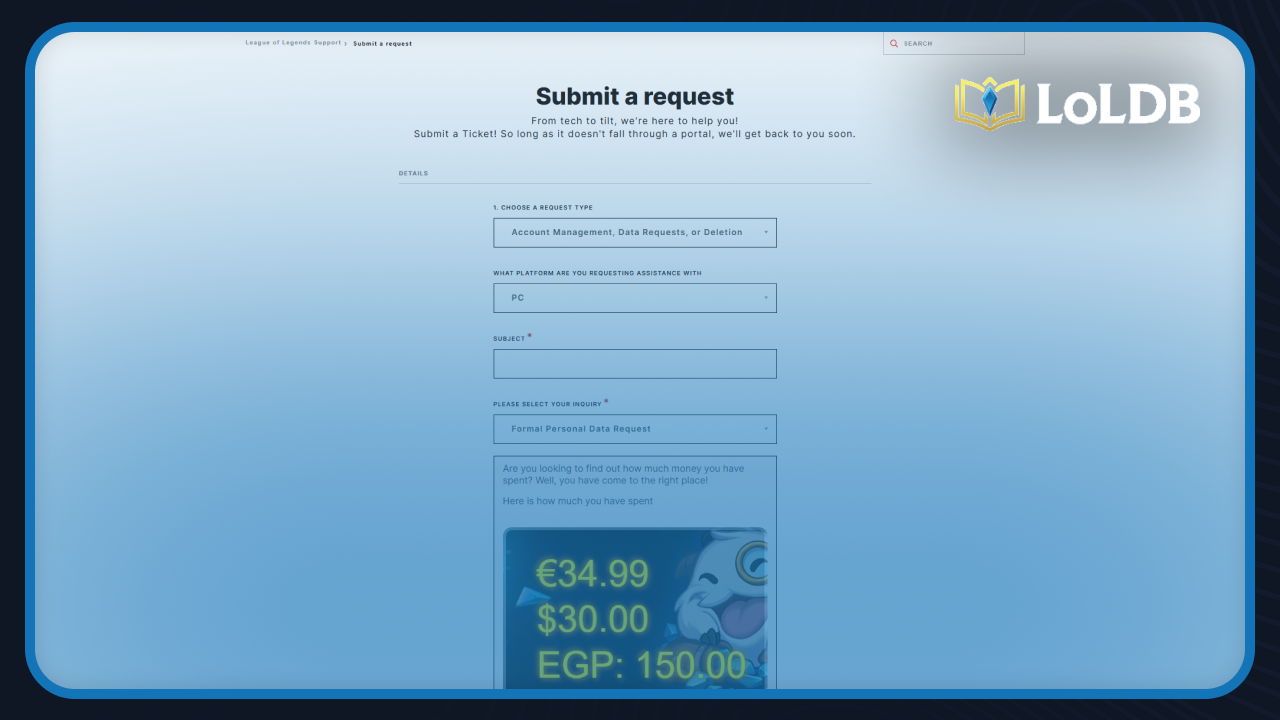
Riot Games doesn't provide spending information directly within the League of Legends client. The only way to view your total account spending is through the official support page using Riot's data request system
Visit the Riot Games support page and sign in to your account
Select "Account Management, Data Requests, or Deletion"
Choose "PC" as your platform
Pick "Formal Personal Data Request"
Select "I want to know how much money I've spent."
After selecting this option, your total spending appears instantly on screen. The breakdown shows how much you've spent in every currency you've used for purchases on your account, including different regions if you've made purchases while traveling or playing from multiple locations.
How to Check Your Purchase History
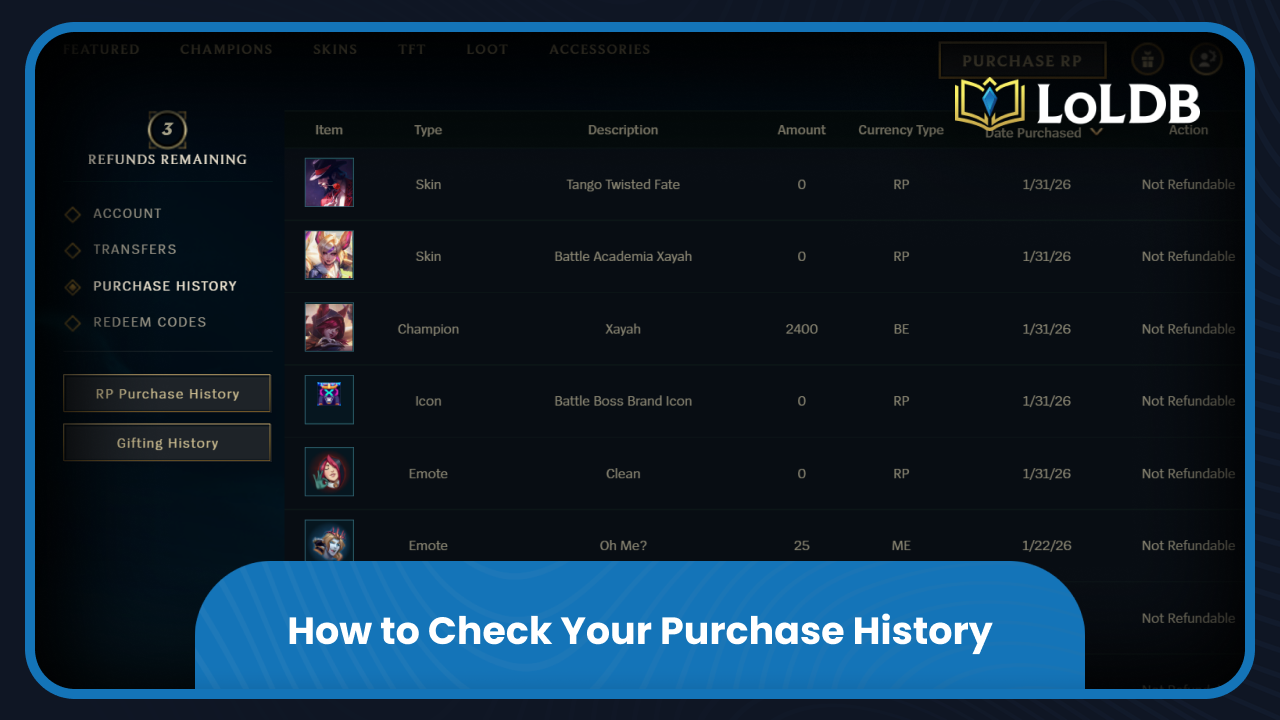
League of Legends includes an in-game purchase history feature that displays your most recent transactions. This option doesn't show your complete spending history like the support page method, but it's effective for checking recent purchases and managing refunds.
Here's how to access it:
Launch the League of Legends client.
Go to "Store."
Click the "Account" option in the top right corner.
Select "Purchase History" from the sidebar.
The purchase history displays your most recent transactions with detailed information for each entry. You'll see the transaction date, currency type used, and item type purchased (skins, chromas, emotes, ward skins, etc.).
Each transaction includes a "Refund" button (if it's eligible for a refund) that lets you return unwanted purchases. Keep in mind that Riot Games limits refunds to three per year, and refunded items must meet specific eligibility requirements. Use your refund tokens carefully since they don't reset until a full year passes from each individual use.
Final Words
League of Legends doesn't make it obvious how much you've spent on cosmetics over time. The support page method provides complete lifetime spending data, while the in-game purchase history offers quick access to recent transactions and refund options.
Want to explore more? LoLDB has everything League of Legends. Browse champions, skins, mythic shop rotation, current sales, and much more!
When is the Next Your Shop in League of Legends? (2026)
Your Shop is a periodic sale event in League of Legends that offers up to six discounted skins specifically tailored to your account. The system analyzes your...

How to Refund Skins in League of Legends
League of Legends offers a huge collection of purchasable content, including champions, skins, emotes, chromas, and other cosmetic items. Players often spend money...